Manage stock
Enable stock management on your physical products to avoid overbooking and disappointment.
When you sell products in limited quantity (welcome baskets prepared in advance, gift kits, excursion spots), you want to avoid a guest ordering something that's no longer available. Casabee's stock management solves this problem.
What is stock management for?
When enabled:
- You declare the available quantity of a product.
- With each paid order, the stock is automatically decremented.
- When the stock reaches 0, the product becomes unavailable on the guest side (« Add to cart » button disabled).
- You can restock at any time by updating the quantity.
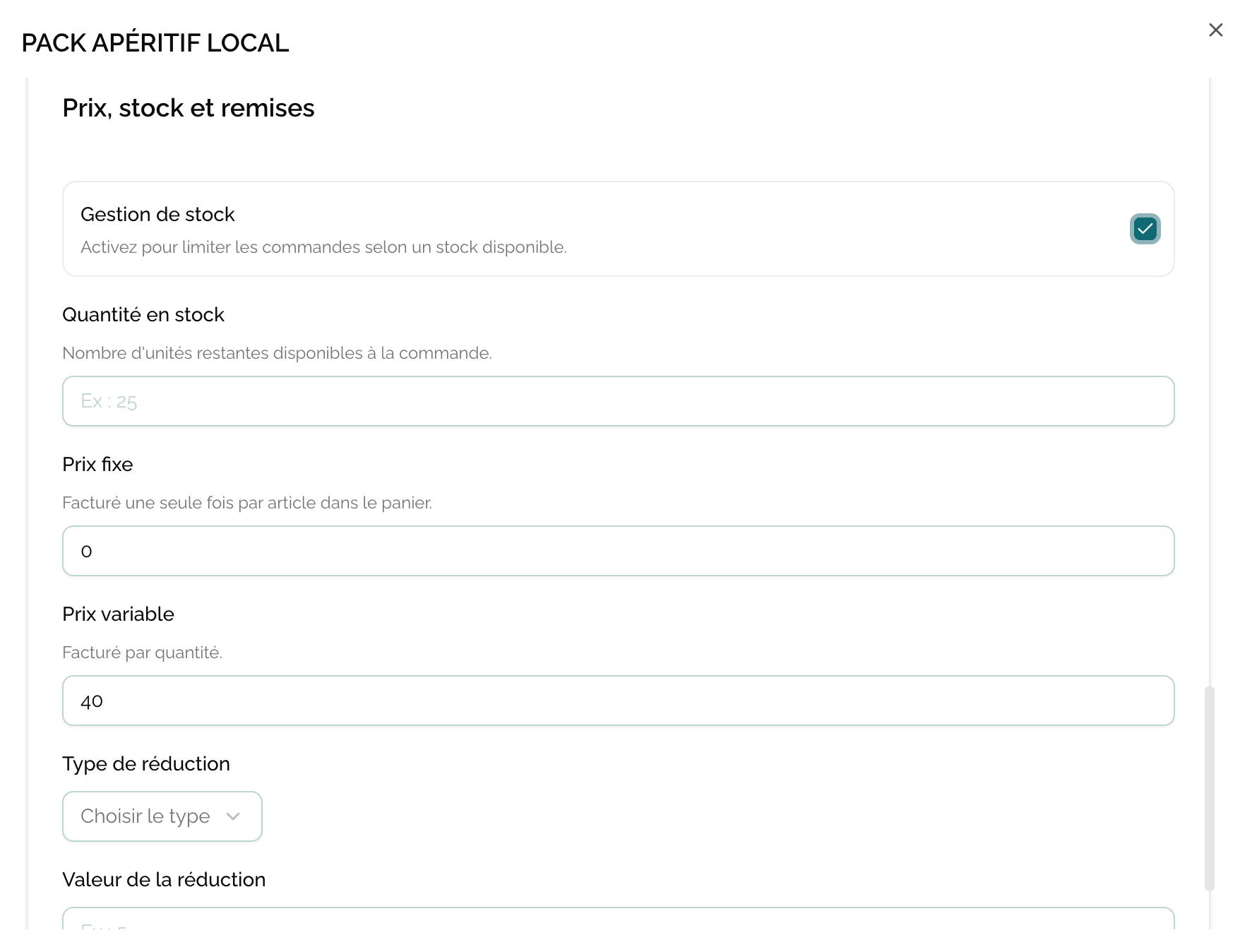
Enable stock management
Open the product card from /hosts/products.
- Go to the « Stock » section.
- Enable the « Stock management » toggle.
- Enter the available quantity in the field that appears.
- Save.
What happens at 0
As soon as the counter reaches 0:
- The product remains displayed in the shop but with a « Sold out » or « Unavailable » label.
- The purchase button is disabled.
- You receive an email notification warning you that a product is out of stock (useful for restocking).
The product is not automatically hidden. You choose: either you leave it visible (useful to show that you offer this service in season), or you hide it manually from the display toggle.
Restock
To replenish stock:
- Open the product card.
- Modify the quantity in the « Available stock » field.
- Save.
The product immediately becomes orderable again on the guest side.
When to enable, when not to enable?
Enable stock management for physical goods
Bottles of local wine, gourmet baskets prepared in advance, limited spots on a small-group excursion, numbered gift kits — anything that exists in counted units.
Disable stock management for services
For on-demand services (private guided tour, late check-out, extra cleaning, equipment loan), leave stock management disabled. You have no quantity to count, and you'd just risk blocking a sale for no reason.
Practical cases
Welcome basket prepared every Friday
You prepare 10 baskets every Friday for the weekend. On Monday, you reset the stock to 0 or update it to 10 the following Friday. No basket sold without being prepared = no last-minute stress.
Excursion limited to 6 people
You organize a Saturday morning bike excursion with 6 spots. Create the « Saturday morning bike excursion » product with a stock of 6. When 6 guests have booked, the product automatically goes to « Sold out ».
On-demand private guided tour
No need for stock management. The product remains always available and you coordinate the schedule with the guest after the order.
Next step
Now that your shop is running smoothly, learn how to track your orders.