Add POIs manually
Complement automatic detection with your favorite addresses and your local secrets.
Automatic detection via Google Places covers the great classics, but it doesn't know the local gems: the friend's café where you get the best espresso, the secret viewpoint at the end of the trail, the bakery open on Sundays. For these addresses, you add POIs by hand.
Why add POIs manually?
Confidential addresses
Places little or not referenced on Google: artisan friend, local viewpoint, hidden beach.
Personal recommendations
Your favorites, in your tone and your words, rather than Google's generic description.
Partnerships
Merchants you collaborate with, to highlight with dedicated text.
Create a POI manually
Open your booklet from /hosts/guides.
- Go to the « POI » tab.
- Click on « + New POI ».
- Fill in the form (see details below).
- Save.
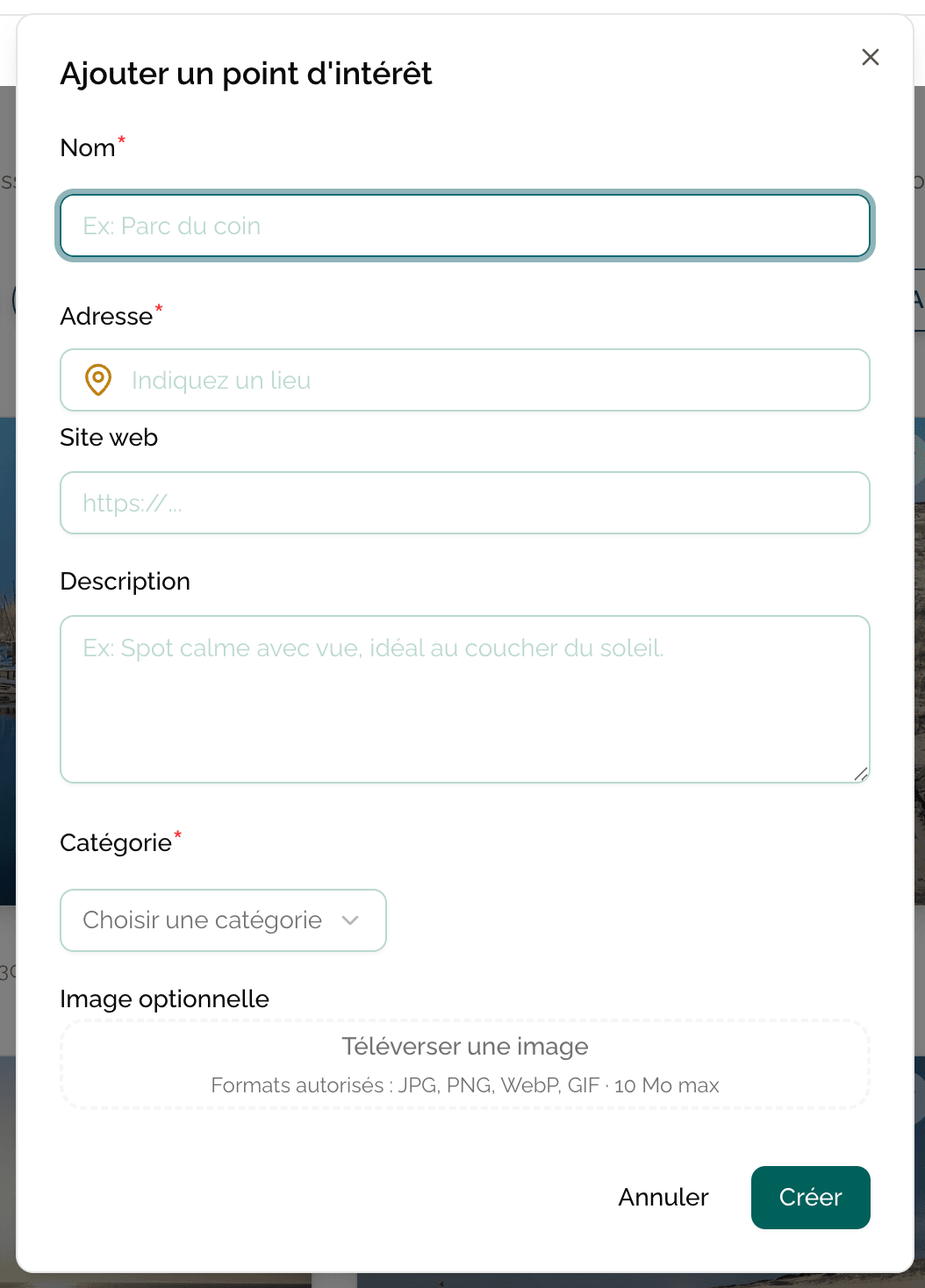
Form fields
Main information
- Title — Name of the place (e.g. « Le Comptoir de Marie »).
- Category — Choose from Casabee or custom categories (Restaurants, Views, Bakeries…).
- Address — Auto-completed by Google. Type the first letters and select from the list to fix the geolocation. If the address doesn't exist on Google, you can enter it freely with the GPS coordinates.
- Description — Rich text where you can tell your story with this place, give advice (ideal time, dish to try, what to avoid).
Media and links
- Images — Drag and drop your photos. The first one serves as the thumbnail.
- Web link — URL of the official website, the Instagram account or the booking page.
Highlighting
- Favorite toggle — Enable it to pin the POI at the top of the POI list on the public booklet.
Mark 3 to 5 POIs maximum as favorites. If everything is favorite, nothing stands out. Reserve this highlighting for your true gems.
Typical use cases
The friend's café
You know the owner, it's your morning meeting spot. Google references it vaguely, but without the photo that does justice to the terrace. You create a manual POI with a beautiful photo taken in soft light and a personal note: « Ask Antoine to make you his cappuccino, he's very proud of it. »
The secret viewpoint
At the end of a discreet trail, a 180° view over the valley. No Google reference. You create a POI with:
- Free address (starting parking + itinerary in description).
- GPS coordinates of the viewpoint.
- A photo taken at sunset.
- Description: « 15 min walk, white-red marked trail. Go at dusk, it's magical. »
The merchant partner
You have an agreement with a bike rental shop. You create a dedicated POI with:
- Photo of the shop.
- Description with the promo code they reserve for you.
- Link to their booking site.
Combine auto and manual
The most effective approach: first run an automatic detection to have the classic base, then enrich with manual POIs to add your personality. You can also edit auto-detected POIs to rewrite their description in your own words.
This combination gives you a rich, complete and personal booklet — exactly what your guests are looking for.
Next step
With your POIs in place, your booklet is starting to take shape. Remember to publish it if it isn't done yet.