Create your host account
Sign up on Casabee, pick your trial plan and access your dashboard within minutes.
Before you can create your first booklet, you need to set up a host account. The process takes less than five minutes and requires no credit card to start the trial.
Step 1 — Sign up
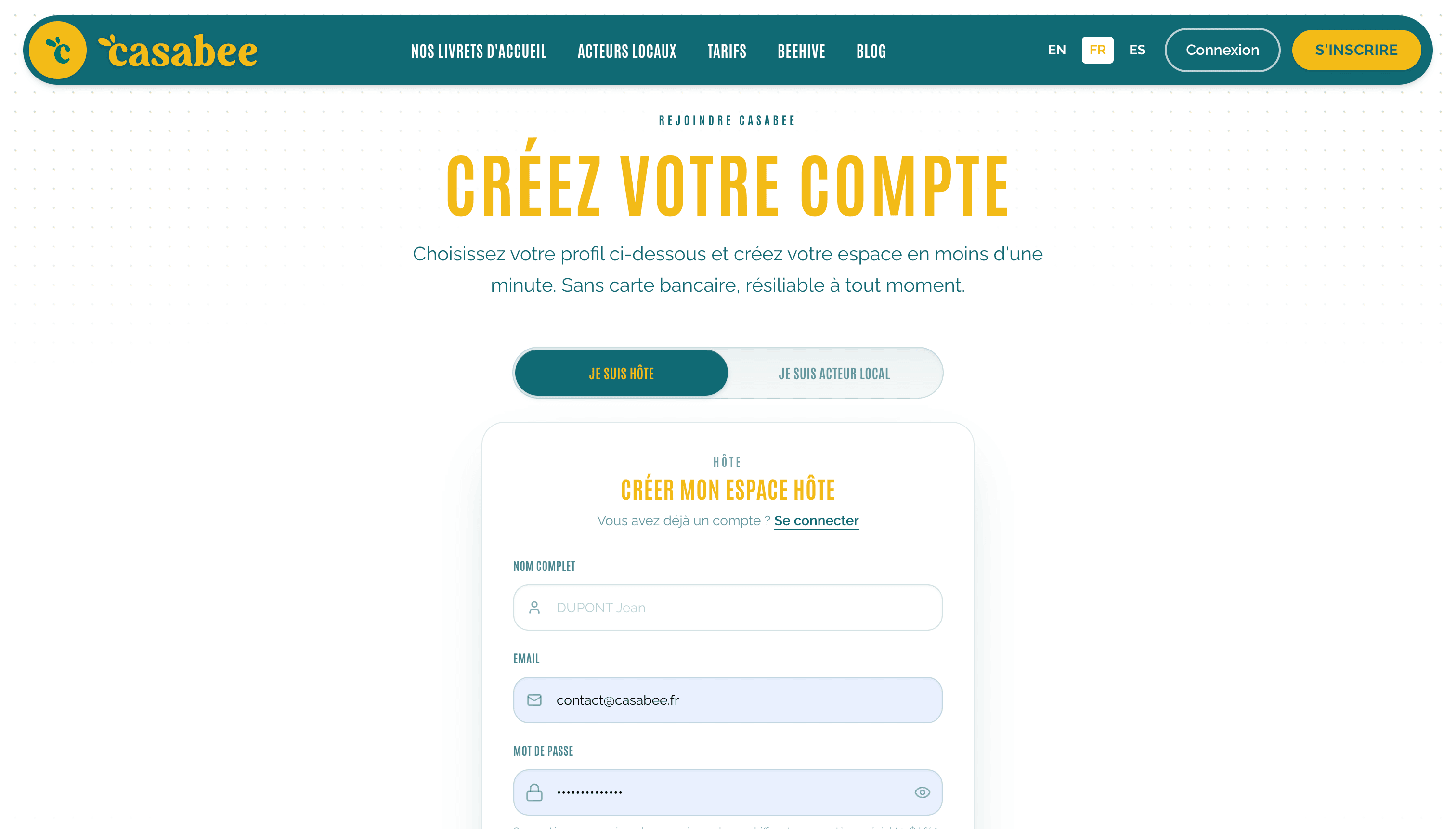
Go to the Casabee sign-up page from the « Create an account » button at the top right of the site.
Enter your professional email and choose a password of at least 12 characters, with a lowercase letter, an uppercase letter, a number and a special character among
@ $ ! % * ? &.- Accept the terms of service and the privacy policy.
- Click on « Create my account ».
Already have a BeeHive account?
If your email is already used for the BeeHive app or a BeeHive professional space, sign up with it anyway: Casabee sends you a link, valid for one hour, to open your host space on that same account. Your account stays the same, nothing is lost.
Valid email required
Use an email address you check regularly. This is where you'll receive order notifications, Stripe invoices and account-related alerts. No valid email = no notifications.
Step 2 — Validate your email
After signing up, Casabee sends you a confirmation email. Click the link inside to activate your account. If you don't receive anything within 5 minutes, check your spam folder or request a new send from the login screen.
Step 3 — Choose your trial plan
Once your email is validated, you'll land on the plan selection screen. Casabee offers several plans depending on the number of booklets and features you need:
- Discovery plan: to test with a single booklet.
- Pro plan: multiple booklets, unlimited modules, shop available.
- Business plan: multi-property, priority support, advanced options.
All plans include a free trial period. You can switch plans at any time from the subscription area.
If you're hesitating, start with the Discovery plan. You can upgrade to a higher plan in one click as soon as you're comfortable with the platform.
Step 4 — First login
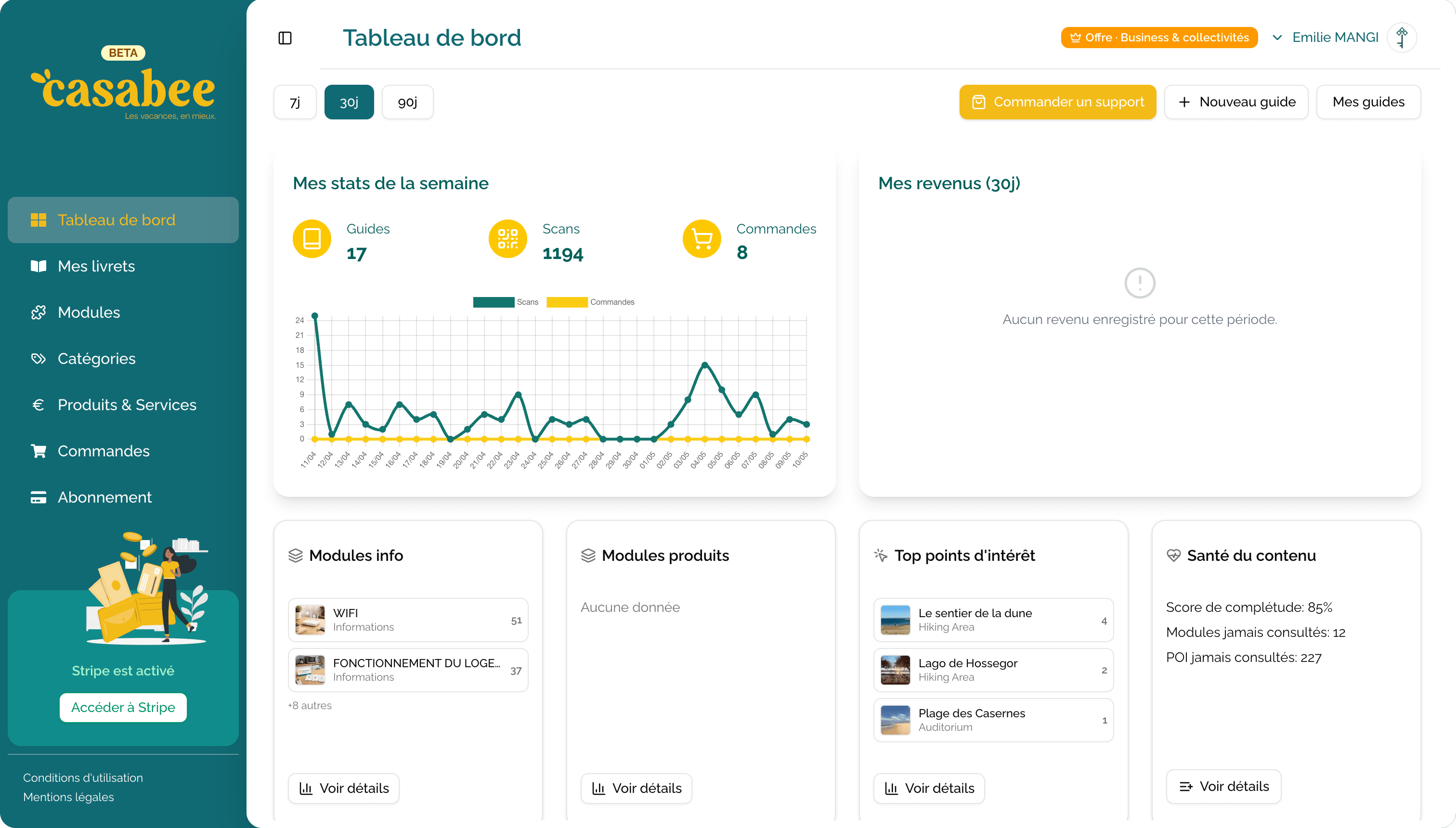
After validating your plan, you're redirected to your dashboard at /hosts/dashboard. This is your control center: you'll see your statistics, your booklets, your orders, and you can launch all actions from there.
What's next?
You're ready to explore the platform. The next logical step:
- Guided tour of the dashboard to understand the widgets.
- Create your first booklet if you want to dive into action.
Welcome to the Casabee community!