Track and process orders
Manage your guests' orders, change their statuses and trigger refunds if needed.
When a guest buys a product in your booklet's shop, an order is created in Casabee. This page explains how to track it, process it, and — if necessary — cancel or refund it.
Where to view orders?
Two views are possible:
- Global view at /hosts/orders — all orders from all your booklets, sorted by date.
- Booklet view at /hosts/guides/[propertyId]/orders — only the orders for the relevant booklet.
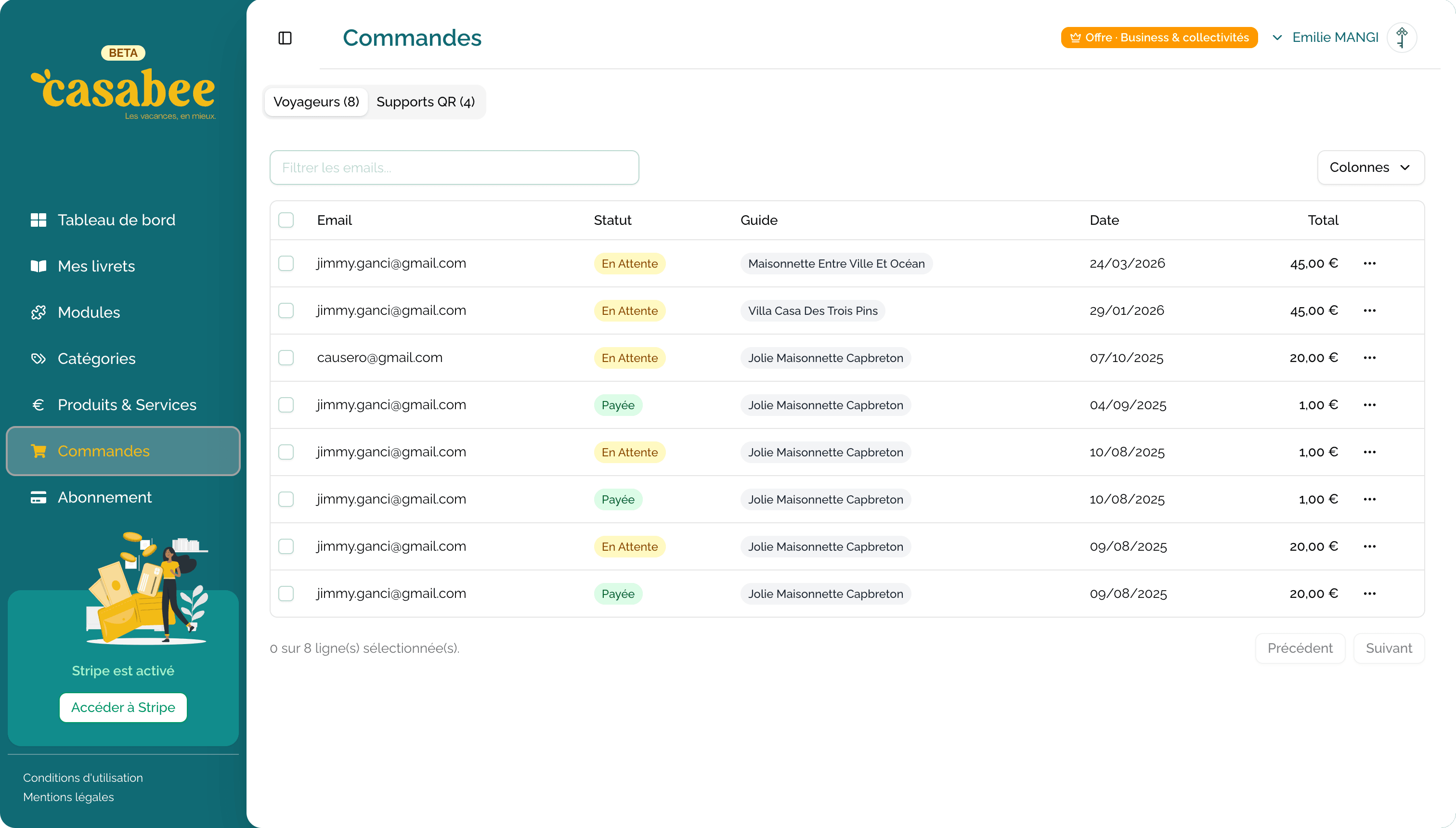
Filters allow you to sort by status, by date, by booklet or by customer.
Order statuses
An order goes through four states:
| Status | Meaning | Expected action |
|---|---|---|
| pending | Payment in progress on Stripe side (rare, transient) | None, wait for confirmation |
| paid | Payment validated, order to process | It's your turn to play |
| delivered | Order delivered / fulfilled | Nothing, it's done |
| cancelled | Order cancelled and / or refunded | Check with the guest if needed |
You receive an email for each new order
As soon as an order moves to paid status, you receive a notification email at your host account address. You can also configure SMS notifications on higher plans.
Process an order
Open the order from /hosts/orders.
Check the details: product(s), quantity, amount, guest, relevant booklet, possible options.
- Prepare the product or organize the service (basket, excursion, late check-out…).
- When done, click on « Mark as delivered ».
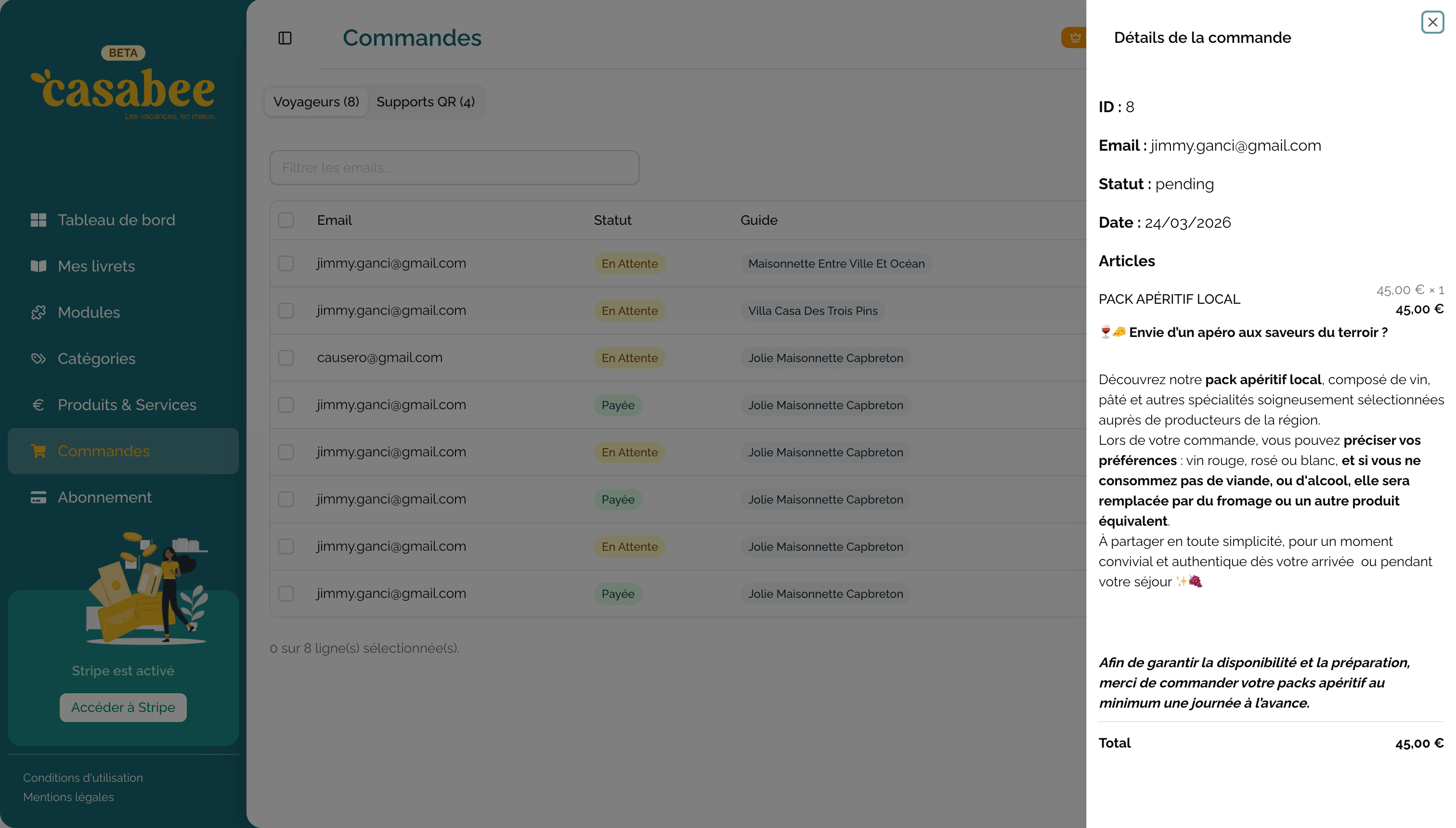
With this action, two things happen:
- The status switches to delivered.
- The guest automatically receives an email confirming delivery.
Automatic emails
For each status transition, Casabee sends an email to the guest:
- paid → payment confirmation email with summary.
- delivered → delivery confirmation email.
- cancelled → cancellation email with details of any refund.
You don't need to do anything more: communication is automated.
Cancel and refund
If a guest wants to cancel or if you can't ultimately fulfill the order:
- Open the order.
- Click on « Cancel order ».
- Choose whether you make a full refund, partial refund or no refund.
- Confirm.
Casabee redirects you to Stripe to finalize the refund (or you can do it directly from the Stripe link displayed on the order).
A refund made via Stripe is final. Check the amount before validating, especially if you make a partial refund.
Good reflexes
- Process every day the orders in paid status to leave no one waiting.
- Communicate with the guest if you have a question (via Airbnb, WhatsApp or phone).
- Mark as delivered without delay so the guest receives their confirmation.
- In case of dispute, refund quickly: a refunded guest is rarely a guest who leaves a bad review.
Next step
To adapt your plan to your order volume, see Change subscription plan.