Customize a booklet's appearance
Adapt the color, cover photo and gallery of your booklet to match your brand.
A booklet in your house's colors makes all the difference. Casabee lets you customize the appearance of each booklet independently: color, cover photo, gallery order. Here's how to go about it.
The color hierarchy
Casabee applies three levels of color, from highest to lowest priority:
- Booklet color — defined for that specific booklet. Overrides everything else.
- Host color — defined in your profile settings. Applies by default to all booklets.
- Default Casabee color — used if you haven't customized anything.
Remember
The booklet color always takes precedence over the profile color. Handy if you manage several properties with different visual identities.
Set a booklet's color
Open your booklet from /hosts/guides and go to the « Appearance » tab.
- Click on the color picker dedicated to the booklet.
- Enter a hex code (e.g.
#0F766E) or use the visual palette. - Save. The color applies immediately to the preview.
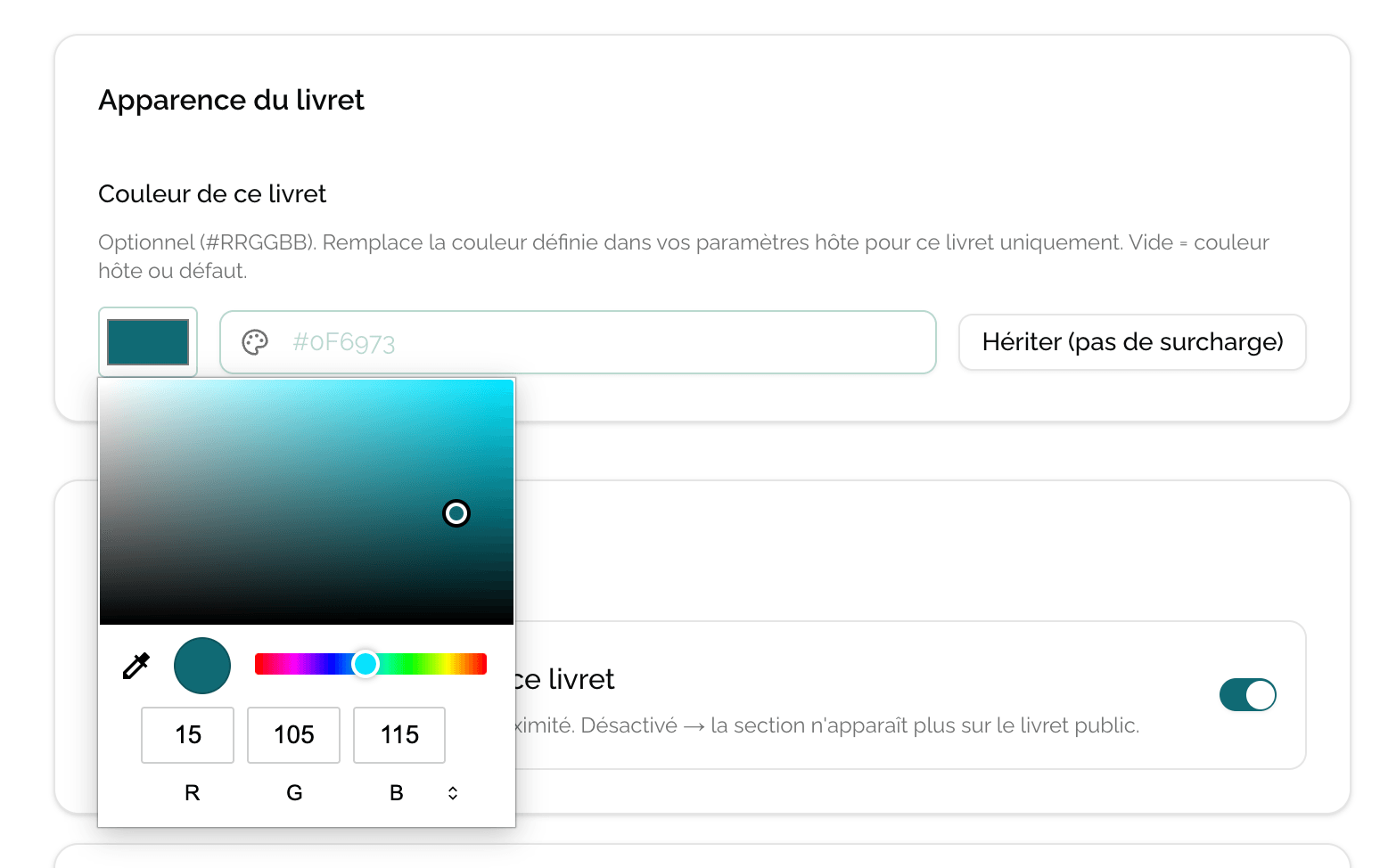
Choose a color consistent with your brand (logo, website, signage). Also check the contrast with text: a background that's too light or too pale will make reading painful on mobile.
Choose the cover photo
The cover photo is the first image displayed at the top of the public booklet. It sets the visual tone.
You set it from the photo gallery of your booklet (at the « Photos » step of the create / edit form): the first photo of the gallery is automatically used as the cover. Drag and drop the photos to change the one shown at the top.
Photo best practices
Format and quality
Use HD photos (at least 1600 px wide) in landscape 16:9 format. Vertical or too-small photos will display poorly on the cover.
A few additional tips:
- Natural light: photograph in mid-day when possible.
- Tidy decor: a made bed, a set table, makes all the difference.
- No watermark or date in the corner of the photo.
- An exterior view or an iconic room often makes a better cover than a standard bedroom.
Practical case
For a mountain gîte, choose a dark teal (
#0F766E) that evokes the forest and serenity, and put on the cover a landscape photo of the chalet in the snow with the golden light of sunset.
You can change the color and cover as many times as you want, even after publishing. Changes are instant on the guest side.
Next step
When the appearance suits you, move on to publishing and sharing your booklet.