Automatically detect points of interest
Use Google Places to populate your booklet within seconds with the best places around you.
Rather than entering one by one the restaurants, museums and tourist sites around your accommodation, Casabee lets you automatically detect POIs (points of interest) via Google Places. In one search, you can fill your booklet with around twenty qualified places.
How does it work?
Casabee sends a query to Google Places based on your property address, within a radius you define, and according to categories you choose (restaurants, museums, beaches, etc.). Google returns a list of places that Casabee imports with their photo, address, rating and short description.
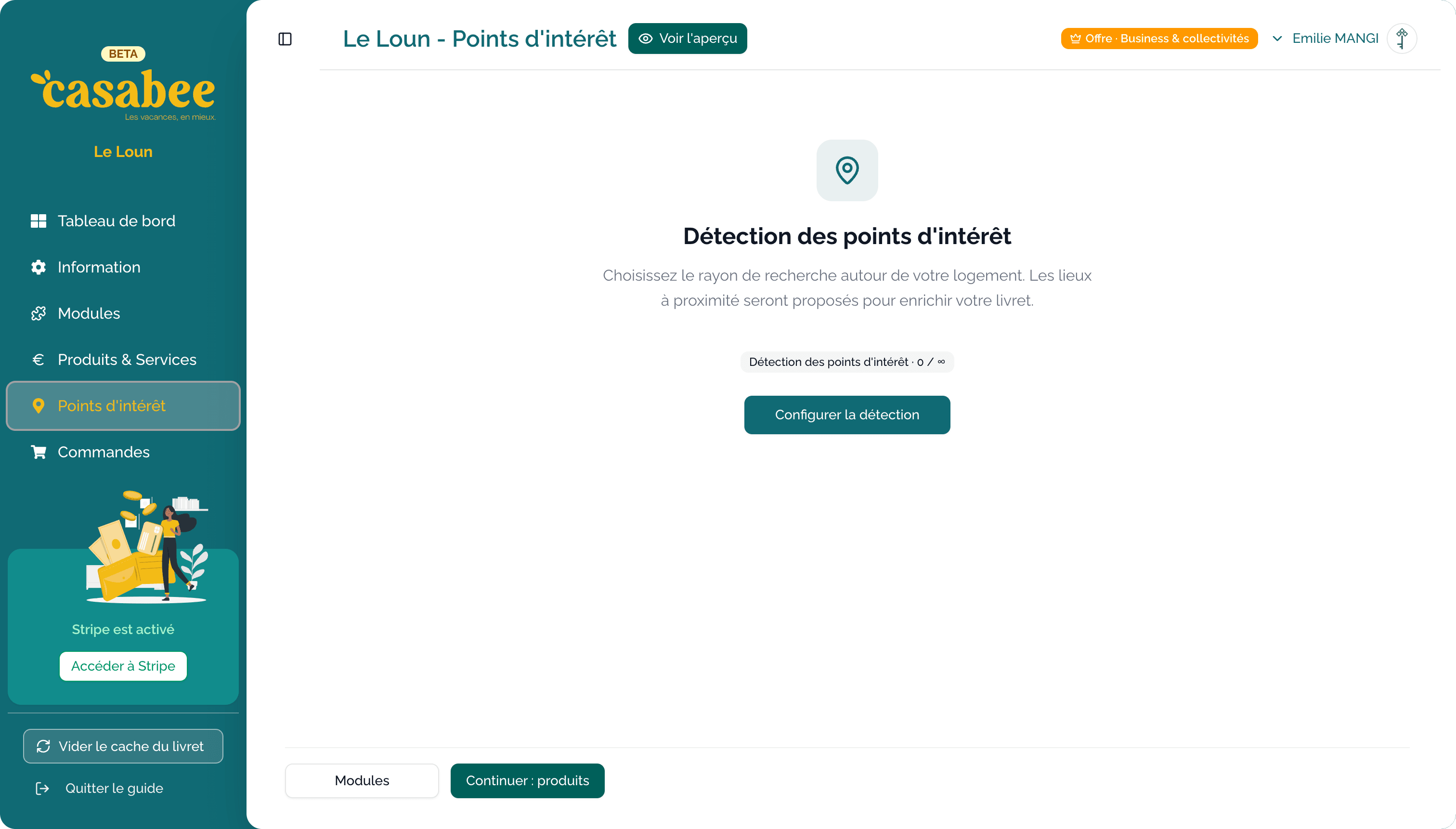
Launch a detection
Open your booklet from /hosts/guides.
- Go to the « POI » tab.
- Click on « Launch detection ».
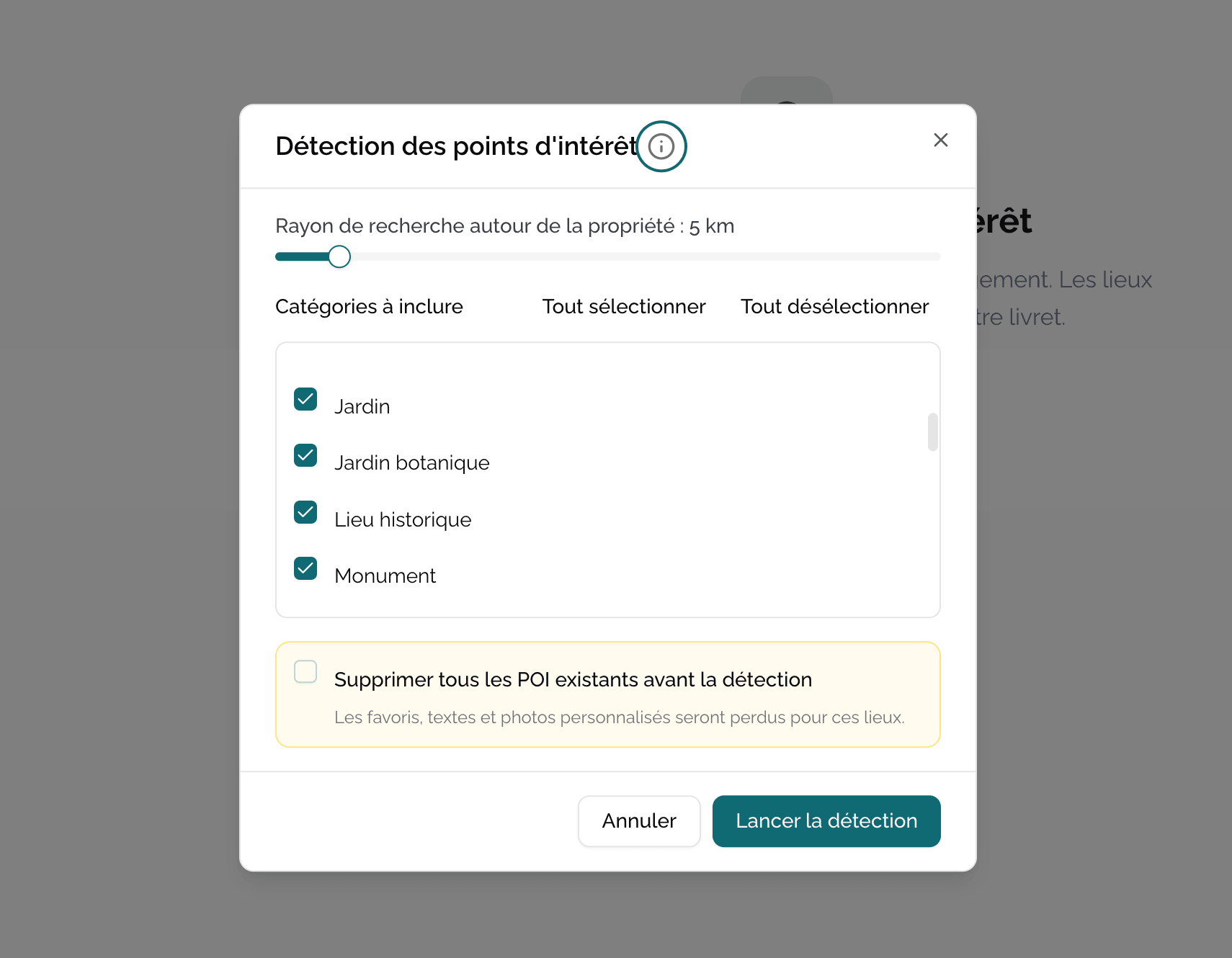
- Configure the parameters in the modal that opens.
- Run the search.
Configure detection
The radius
Choose the search radius around your property, in kilometers. Typical values:
- 2-5 km for a city center (Paris, Bordeaux).
- 10-20 km for a seaside resort or village.
- 30-50 km for an isolated rural gîte.
The maximum radius is 50 km. Beyond that, Google Places no longer returns relevant results and detection is blocked.
The categories
Select the place types you want to import:
- Restaurants & cafés
- Museums & culture
- Beaches, parks, nature
- Sports activities
- Bakeries, markets
- Tourist sites
- (and others depending on your region)
You can check several categories at the same time. Casabee will run a search per category and combine the results.
Detection limits
20 places maximum per search
Google Places returns a maximum of 20 places per category and per search. If you want more POIs, run several successive detections with different parameters (smaller radii, different categories).
Other rules to know:
- Only places with a Google photo are imported (to ensure clean visual rendering).
- Permanently closed places on Google are not imported.
- Casabee automatically deduplicates: if a place already exists in your POIs, it is not re-imported.
The « Delete all before detection » option
In the configuration modal, you'll find a « Delete all existing POIs before detection » toggle.
Irreversible action
This option permanently deletes all POIs already present on the booklet before launching the new detection. It's useful if you want to start from scratch, but there's no going back. POIs added by hand will also be deleted.
To use only if you're sure of yourself. If in doubt, leave the option disabled and the detection will simply complete the existing POIs.
Run several times
You can run auto detection as many times as you want, with different parameters. For example:
- First pass: 10 km radius, Restaurants + Museums categories.
- Second pass: 30 km radius, Tourist sites category.
- Third pass: 5 km radius, Bakeries category.
Casabee progressively enriches your list without overwriting anything (unless you check the deletion option).
And then?
After auto detection, remember to:
- Add manually confidential addresses or off-Google places.
- Mark as favorites the most iconic places.
- Complete the descriptions with your personal notes.