Complete your partner profile
Fill out your profile to become visible in the guidebooks of hosts in your geographic area.
A complete profile is the number one requirement to appear in the digital guidebooks of hosts in your region and in the BeeHive app. The richer your profile, the more guests trust you and click.
You access the configuration from /partners/settings.
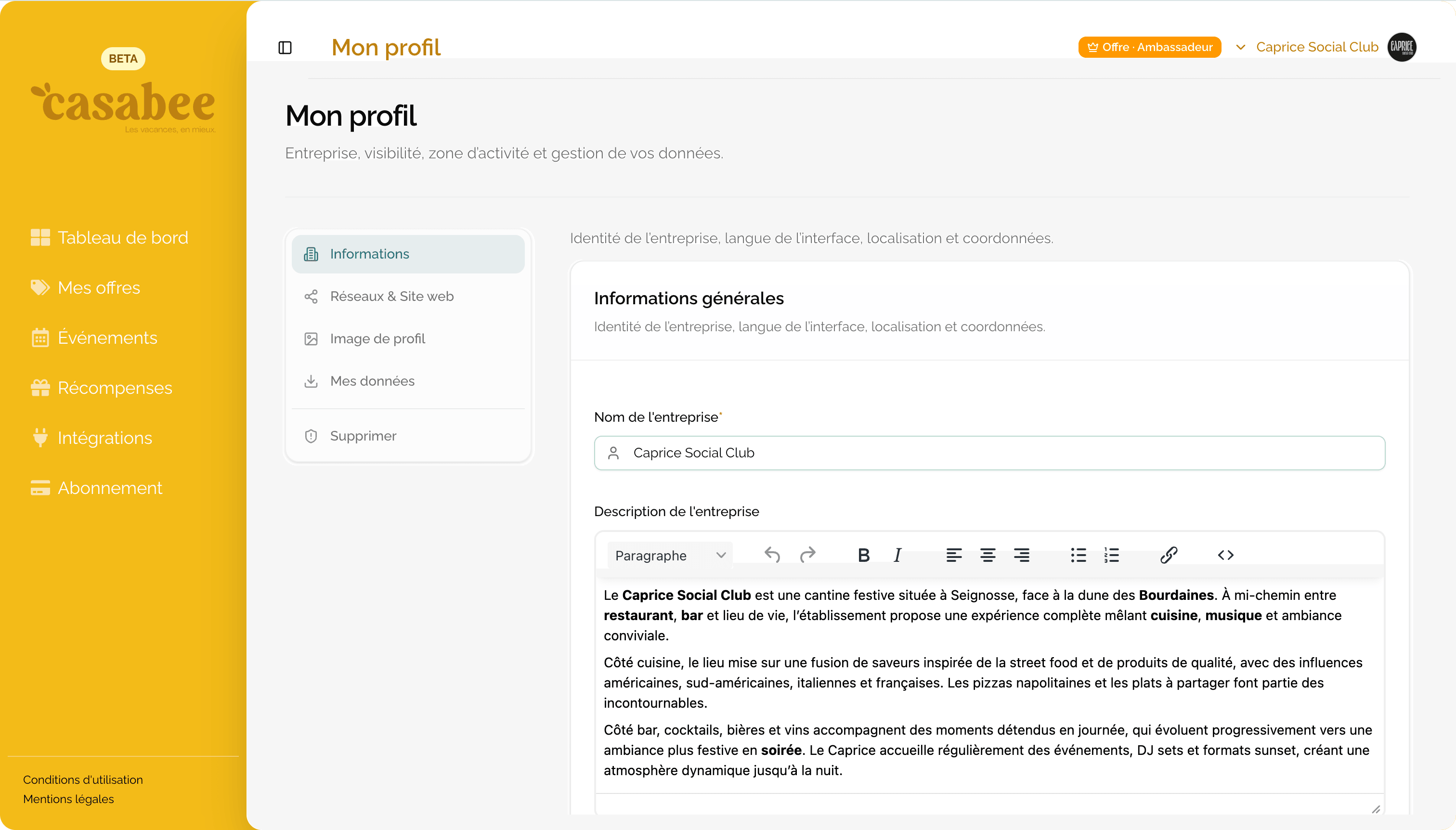
« General info » tab
This is the heart of your Casabee identity. Fill in each field carefully:
- Company name — as you want it to appear to guests.
- Description — up to 1,500 characters. Tell what makes your place unique, your story, your specialties.
- Contact email — visible to guests who want to reach out.
- Phone — for direct bookings.
- Address — use the Google autocomplete to avoid typos; precise geolocation is crucial for targeting.
- Category — Food & Drink, Wellness, Sport, Culture, Retail… choose the one that best matches your main activity.
- Interface language — the language of your partner space (guests will see your content automatically translated).
« Social & Website » tab
These links enrich your profile and reassure guests:
- Website URL — your official website (https required).
- Instagram — your username (without the
@). This field is also the starting point for automatic event detection. - Facebook — the full URL of your page.
To go further with Instagram: Connect Instagram.
« Profile picture » tab
Upload an image in JPG or PNG format. Prefer a square, bright visual that represents your place well (storefront, signature dish, interior atmosphere…).
The profile picture and the first sentence of the description are the first elements seen by guests in lists. Take care of them: they determine 80% of the click-through to your page.
Why a complete profile is crucial
Casabee distributes your content to hosts' guidebooks based on several criteria:
- your location must be precise to match a guidebook's area;
- your category must correspond to the interests highlighted by the host;
- a quality image and description make hosts want to recommend you.
An incomplete profile (empty mandatory field, no image) remains invisible in guidebooks. You'll see an alert in the dashboard's health banner until the situation is fixed.
Recommended steps
Go to /partners/settings and fill in the « General info » tab.
- Add your links in « Social & Website ».
- Upload your image in « Profile picture ».
- Check on the dashboard that the health banner is green.
- Continue with your first offer.