Automatic detection via Instagram
Let Casabee's AI create your events from your Instagram posts and stories.
Are you already publishing your events on Instagram? Casabee can analyze your posts and stories, extract the key information (title, date, location, category) and automatically suggest events to publish on the platform. No more entering things twice.
How it works
Casabee's AI analyzes the images and captions of your Instagram account. It recognizes event announcement patterns (date, time, location, price) and builds a pre-filled event page. You just have to validate, adjust or refuse.
Title
Extracted from the beginning of the caption or the story.
Date and time
Detected in the text or stickers of the story.
Location
Recognized via the Instagram location tag.
Category
Inferred from the visual and the hashtags.
Prerequisites
Pro Instagram account required
Detection only works if you have connected your professional Instagram account from /partners/integrations. The account must be an Instagram Business or Creator account linked to a Facebook page (Meta API requirement).
For the connection procedure: Connect Instagram.
Activate detection
Go to /partners/integrations.
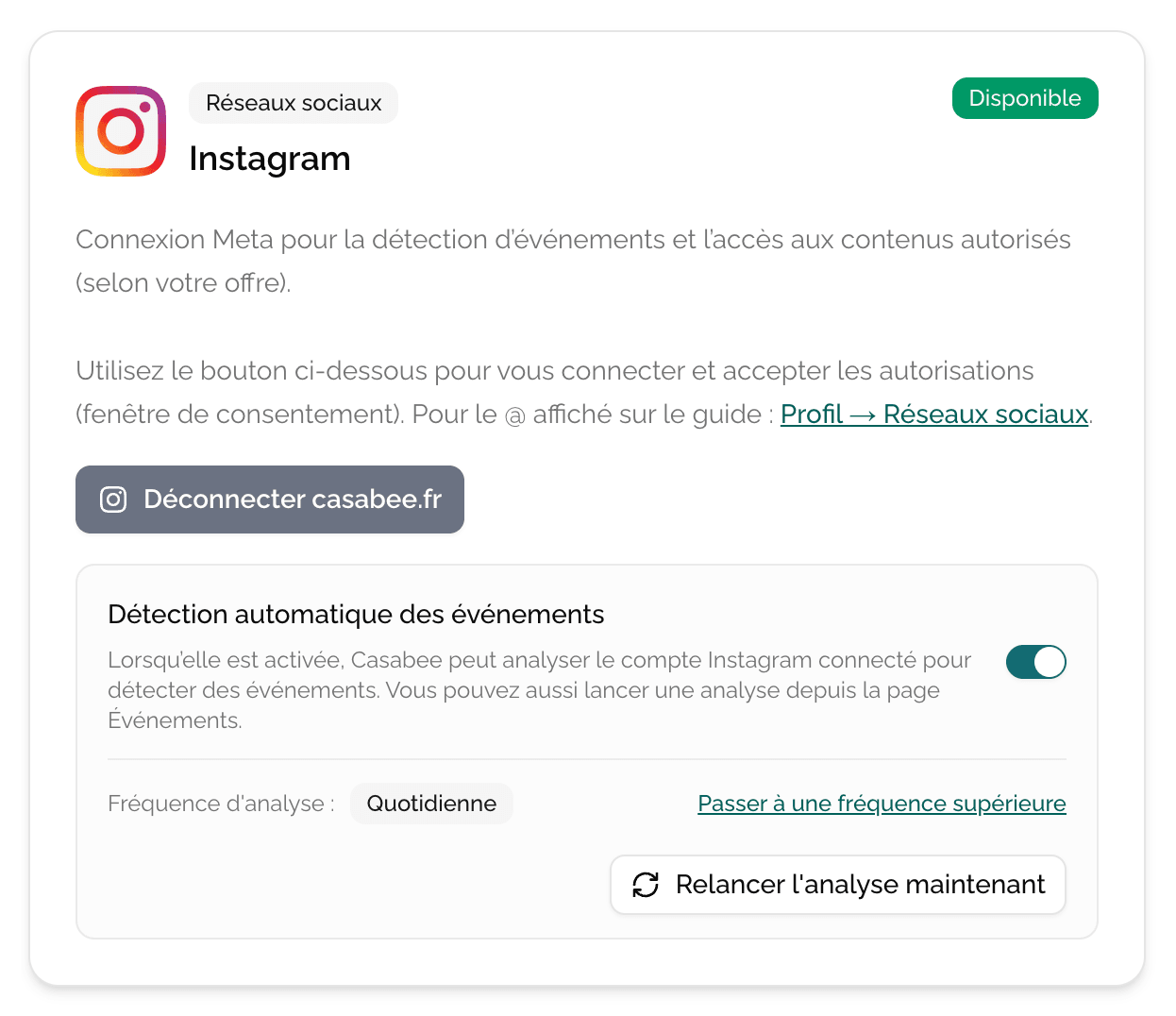
- On the « Instagram » card, check that your account is connected.
- Activate the « Automatic event detection » toggle.
- Choose the scan frequency from those available based on your plan.
Frequency by plan
- Essential — automatic weekly scan.
- Connected — automatic daily scan.
- Ambassador — multiple times per day scan + queue priority.
If you need an immediate scan (for example just after a big publication), use the « Rerun analysis now » button. The number of available manual scans also depends on your plan.
The validation flow
When the AI detects an event, it appears in a suggestion queue on /partners/events:
- You receive a notification (email + dashboard).
- You open the suggestion to review the pre-filled fields.
You edit what needs to be edited (catchier title, addition of a higher quality image, precise price).
You click « Publish » to make the event visible, or « Refuse » if it's a false positive.
No event is published without your approval: the AI suggests, you decide.
Tips for getting started
Start by publishing 2 or 3 events manually to understand how Casabee highlights them in guidebooks and BeeHive. Once you understand what works (image, tone, description length), activate AI detection to automate the rest of your agenda.
Refuse or modify future detections
You can at any time:
- disable the automatic detection toggle to stop suggestions;
- disconnect Instagram (also removes detection);
- adjust the frequency based on your plan.
The AI also improves with your feedback: refusing a false positive helps the system better filter the next ones.