Manage recurring events
Configure permanent exhibitions, weekly markets and restaurant hours in just a few clicks.
Not all events are one-off: a market that returns every Saturday, an exhibition open for three months, a restaurant open Tuesday to Saturday… Casabee handles these cases with recurrence.
Typical use cases
Permanent exhibition
An exhibition open every day for several months.
Weekly market
A producers' market every Saturday morning from May to October.
Restaurant
Service Tuesday to Saturday, closed Sunday-Monday and public holidays.
Monthly workshop
A wine tasting workshop on the first Friday of every month.
Configure the recurrence
At step 3 of the creation form (see Create an event):
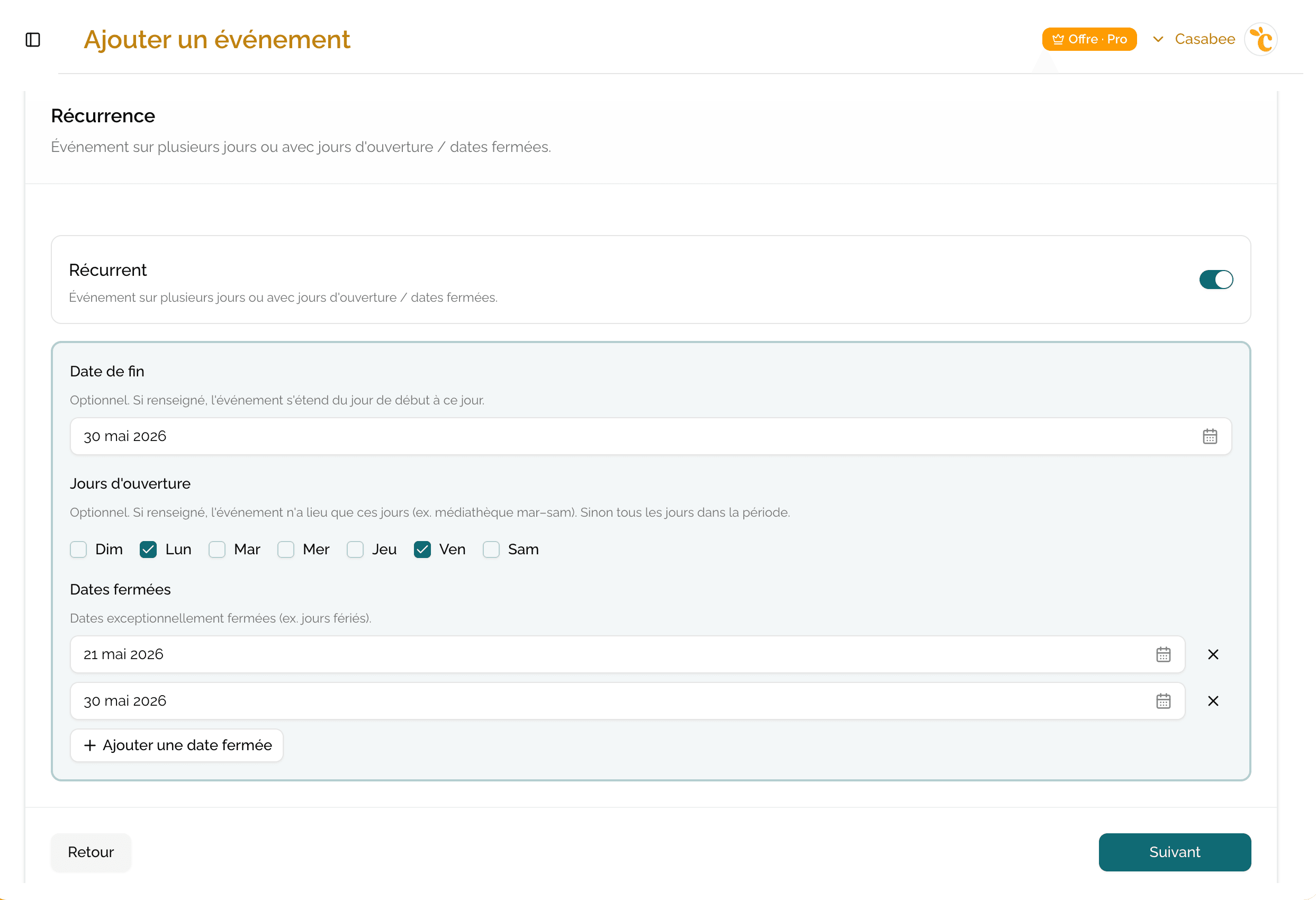
- Activate the « Recurring event » switch.
Check the end date of the event: this is what marks the end of the recurrence (for example the last day of the exhibition, the last Saturday of the market season).
- Check the opening days (Mon, Tue, Wed, Thu, Fri, Sat, Sun).
- Add closed dates: public holidays, annual leave, technical closures.
- Validate and move to the next steps.
How it's displayed to guests
Casabee automatically transforms your configuration into occurrences in the guest's guidebook. If they consult the guidebook on a Tuesday at 10 AM, they see:
- the day's occurrence, ongoing or upcoming;
- the next occurrences in the following days;
- a « Closed today » mention if it's a day not selected or a closed date.
Modify a recurring event
You can adjust the opening days, add a closed date or extend the recurrence at any time from the event page on /partners/events.
If your event already has earned rewards by guests (wins in progress), some modifications are blocked to avoid breaking promises made: location change, retroactive end date, removal of a linked reward. First finish the wins in progress or create a new event for fundamental changes.
Best practices
- Fill in closed dates in advance (annual public holidays, summer closure) to avoid disappointments on the day.
- Update your description when the program changes (new artists, new restaurant menu). The page stays the same but the content can evolve.
- Create a new event rather than modifying in depth, if you change season or format: you keep the history of stats and wins.
To automate the creation of your next events from your Instagram account: Automatic detection via Instagram.