Create your partner account
Register your business on Casabee in a few minutes and access your partner space.
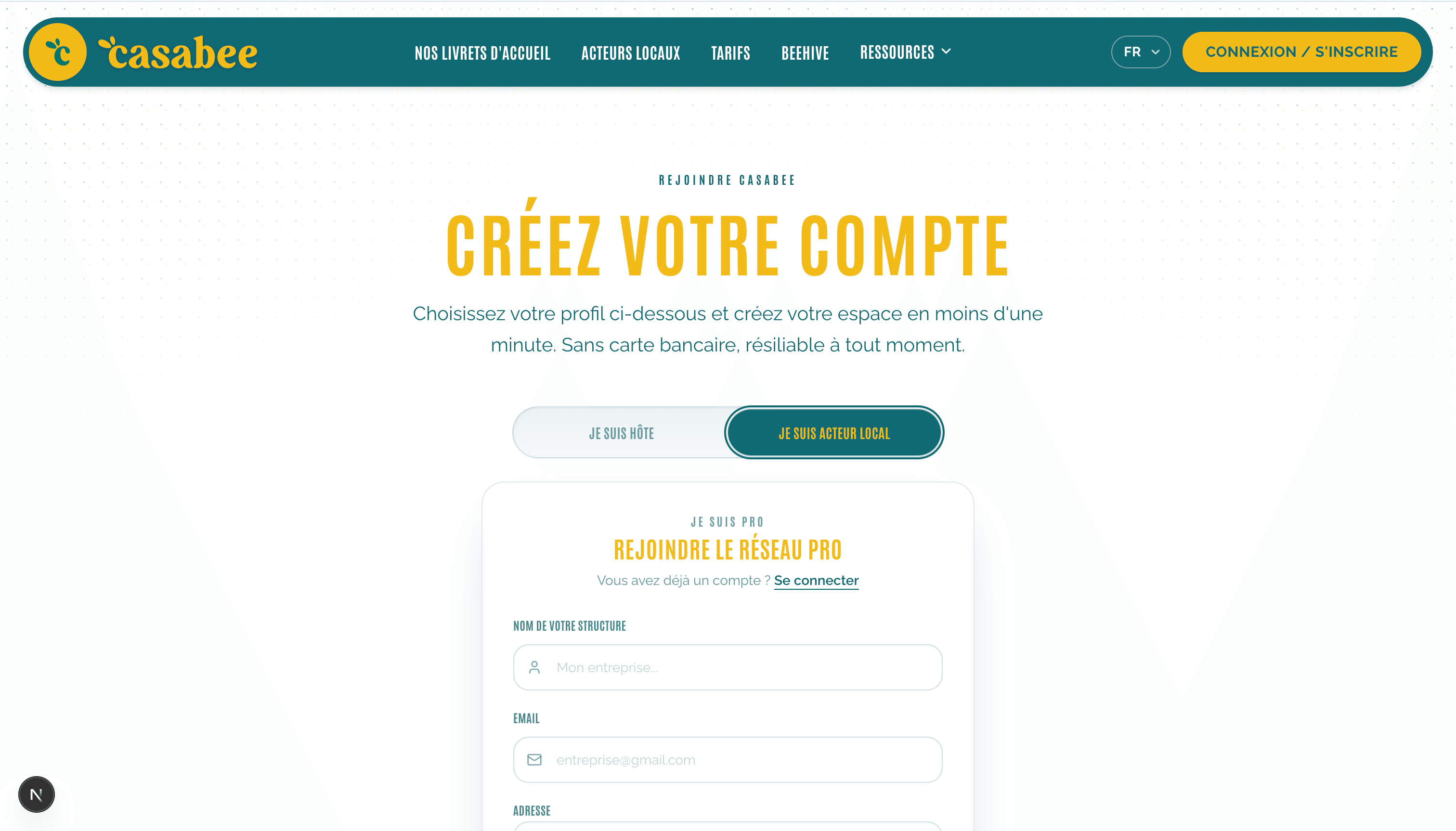
Before publishing your first offer, you need to create a partner account. The process takes less than five minutes and requires no credit card if you start with the Essential plan (free).
Sign-up steps
Go to the sign-up page /inscription and choose the « Pro » option (shopkeeper, restaurateur, event organizer…).
Enter your business email and a strong password (at least 8 characters, mix of letters and numbers).
- Validate your email address by clicking the link received in your inbox.
Choose your starting plan: Essential (free), Connected or Ambassador. You can change it at any time.
- Access your partner space: you land directly on the dashboard.
Forgot your password?
If you already have an account but forgot your password, use the « Forgot password » link from the login screen. You'll receive an email to set a new one.
Choose your email carefully
Use a business address
All important notifications — earned rewards to validate, new bookings, alerts on your offers,
subscription invoices — arrive at this address. Choose a business email that you check
regularly, ideally a team alias (contact@, reservation@) rather than a personal email.
First login
On your first login, you arrive on the partner dashboard. A banner invites you to complete your profile: this is the step that will unlock your visibility in the guidebooks of hosts in your geographic area.
What's next?
- Discover the interface: Guided tour of the partner dashboard
- Fill out your profile: Complete your partner profile
- Or jump straight into content creation: Create your first offer
Hesitating about which plan to choose? Start with Essential: you'll be able to test the platform with 3 offers and 3 active events before considering an upgrade.