ZenChef and ticketing link
Enable direct booking and external ticketing on your Casabee content.
In addition to Instagram, Casabee offers two integrations that turn your content into conversion points: ZenChef for restaurant booking, and the ticketing link for event ticket sales. Everything is configured from /partners/integrations.
ZenChef — restaurant booking
If you use ZenChef to manage your bookings, you can display the booking widget directly in the host's guidebook (if they've added you to their points of interest).
Configure ZenChef
Go to /partners/integrations.
- Find the « ZenChef » card.
- Enter your ZenChef restaurant ID (visible in your ZenChef admin account).
- Click « Save ».
- Check the preview: the booking widget should display correctly.
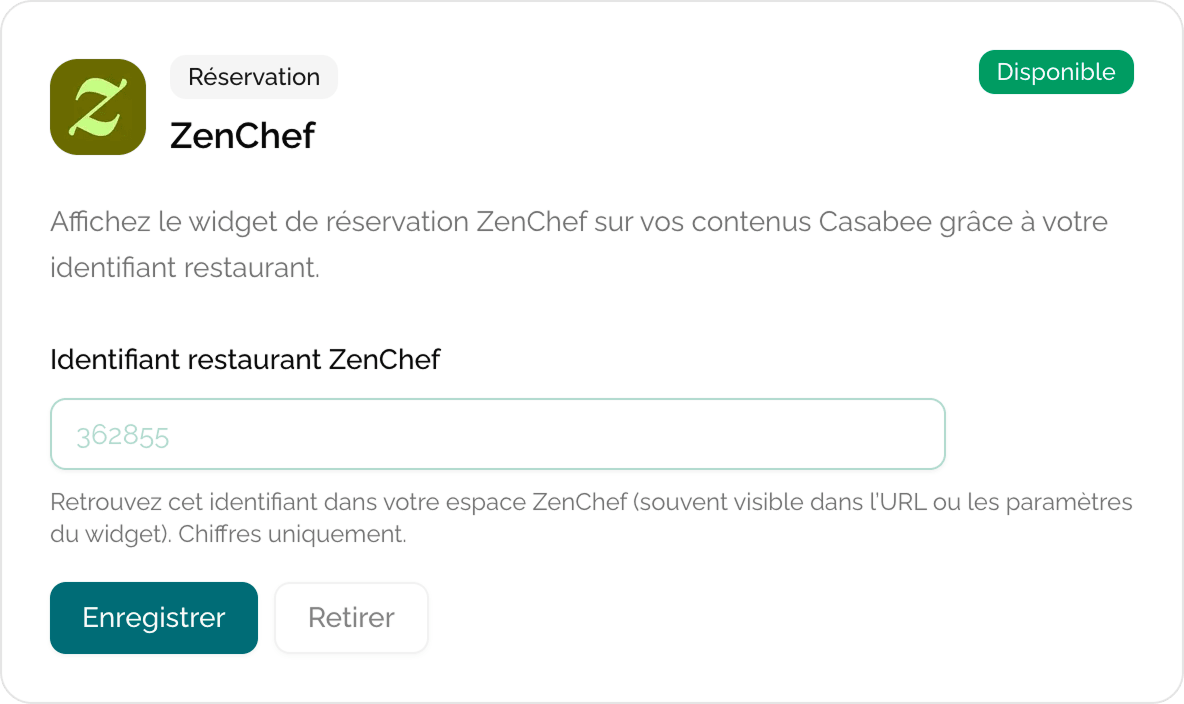
How it's displayed
The guest sees your page in their host's guidebook. If the host has added you to their points of interest and ZenChef is connected, a « Book a table » button appears directly on your page, without forcing them to leave the Casabee experience.
Ticketing link — paid events
For paid events (concerts, workshops, festivals), Casabee does not embed an integrated payment system. Instead, you provide an external URL to your usual ticket sales platform.
Compatible platforms
The integration accepts any valid https URL. The most common:
Helloasso
Free solution for associations.
Eventbrite
International standard for events.
Weezevent
Widely used in France for pro ticketing.
Your website
Any sales page on your site.
Configure the link
You have two places to enter a ticketing URL:
- At the event level (recommended) — at step 4 of the creation form (see Create an event). The link is specific to that event.
- At the profile level — from /partners/integrations, you can set a default ticketing URL that applies to all your events without a specific link.
The « Book » or « Buy a ticket » button appears on the event page and redirects the guest to your URL.
No Stripe on the partner side
You do not need a Stripe account to sell your tickets via Casabee. All payments go through your external platforms (Helloasso, Eventbrite, your site…), with their own conditions and payouts. Casabee does not intervene in the transaction and does not take any commission on your sales.
Common errors
- Non-https URL — Casabee refuses URLs in
http://for security reasons. Check the prefix. - Broken link — test your sales page regularly. A broken link loses conversions silently.
- Wrong ZenChef ID — if the widget doesn't display, copy the ID from your ZenChef admin without spaces or stray characters.